How does stake app work? A practical guide to casino & sports
The Stake platform is designed to run smoothly on mobile, letting you switch between casino games and sports betting in one account. This guide explains how the stake app works day to day—creating an account, depositing, choosing games or markets, and withdrawing responsibly.
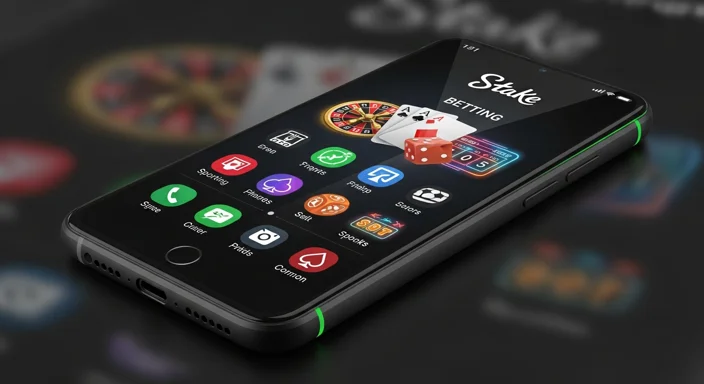
Because the experience is browser-based on most devices, “Stake app” often refers to using the site like an app (home-screen shortcut, fast navigation, and mobile-optimized layouts) rather than a traditional store download.
The Stake app experience is typically a mobile web app: you use a browser on Android or iOS, log in, and the interface behaves like an app (fast, touch-friendly, and optimized for small screens). In many regions and setups, there may be no required download—you can also add a shortcut to your home screen for quick access.
What this means in practice:
You use one Stake account for both casino and sportsbook
Your wallet balance is shared (unless you choose separated wallets where available)
Core actions (deposit, play, bet, withdraw) are all accessible from the same menu
If you’re specifically trying to access your account, see Stake app login for a focused walkthrough.
How to use Stake app: step-by-step
Below is a typical first-session flow in the stake betting app interface:
Open the platform in your mobile browser
Use a stable connection; low-bandwidth optimization helps, but live content (like live dealer or in-play sports) still benefits from stronger internet.
Create an account or log in
Use a strong password and enable two-factor authentication (2FA) as soon as possible.
Set your preferences
Currency/crypto preferences (where supported)
Responsible play settings (limits, timeouts)
Deposit funds
Choose a payment method/asset, generate an address or initiate the payment flow, and wait for confirmation if using crypto.
Choose Casino or Sports
Casino: slots, live dealer, table games, and crash/arcade titles like Plinko, Dice, Mines
Sportsbook: pre-match or in-play markets across major sports
Place a bet or start a game
Sports: build a bet slip, review odds, confirm stake
Casino: set your bet size, review features (autoplay, bonus buys if available), and play
Withdraw
Select withdraw, confirm destination details, and complete any security steps.
For an in-depth look at strengths/limitations and what to expect by region, read the Stake app review.
Casino vs sportsbook: what changes inside the app
Both products share your account, but they behave differently:
Casino (games)
Outcome is determined by the game’s RNG or live dealer process (depending on game type)
You control bet size and pace (especially in slots/arcade games)
Some games offer provably fair verification (see below)
Sportsbook (sports betting)
Outcome depends on real-world events
You build a bet slip and confirm the wager at posted odds
Live/in-play odds may update quickly; you may see bet confirmations, re-quotes, or suspensions during volatile moments (e.g., goals, red cards)
A simple way to decide where to start:
Prefer structured risk with fixed events? Try sportsbook pre-match markets.
Prefer quick rounds and entertainment variety? Explore casino, but set limits first.
Provably fair gaming: what it means and how to check it
Many crypto-focused casinos use provably fair systems on certain games. The idea is that each result can be verified after the fact using cryptographic inputs rather than trusting “black box” RNG alone.
While implementation varies by game, provably fair usually involves:
A server seed (generated by the platform)
A client seed (chosen by you or assigned; you can often change it)
A nonce (a counter that increments each bet)
How to verify (typical workflow)
Open the game’s Fairness/Provably Fair panel (name differs by game)
Note your current client seed and the displayed server seed hash
Play a few rounds (nonce increments)
Reveal/rotate the server seed (afterward, the original seed can be checked against the hash)
Use the provided verifier (or a manual verifier, where supported) to confirm the outcome mapping
If you’re new: verification is most useful when you understand what you’re checking—don’t treat “provably fair” as a guarantee of winning; it’s about auditability, not profitability.
Deposits & withdrawals: how the money flow works
In the Stake casino app experience, payments are generally routed through your wallet:
Deposit: funds move into your Stake balance after the payment is initiated and confirmed (crypto confirmations may take time)
Gameplay / betting: stakes are deducted from the balance; winnings return to the balance
Withdraw: funds are sent out to your chosen destination after required checks
Important habits:
Double-check addresses for crypto withdrawals (mistakes can be irreversible)
Keep a record of transaction IDs and timestamps for support
Understand that processing times can vary by method and network load
Account security, verification, and responsible play
Security essentials
Turn on 2FA (authenticator apps are generally stronger than SMS where available)
Use a unique password and a password manager
Avoid public Wi‑Fi for deposits/withdrawals
Log out of shared devices and clear saved sessions
Verification (KYC) basics
Depending on jurisdiction, limits, or risk checks, you may be asked to verify identity. Common triggers include higher withdrawal volumes, account security flags, or regulatory requirements. If verification is requested:
Provide accurate details that match your documents
Submit clear photos/scans (no glare, no cropped edges)
Expect additional questions if payment method ownership needs proof
Responsible play controls
Before you place your first bet, decide:
A daily/weekly spend limit
A maximum session length
A stop-loss (how much you’re willing to lose before stopping)
Common issues and fixes (login, loading, payments)
Can’t log in
Confirm email/username and password
Check whether 2FA time is synced correctly on your device
Try a private/incognito tab
If you’re still blocked, use the checklist in Stake app login
Pages load slowly or games lag
Switch from mobile data to Wi‑Fi (or vice versa)
Close other bandwidth-heavy apps
Avoid running live dealer and live sports simultaneously on poor connections
Deposit/withdrawal pending
For crypto: check network confirmations and the transaction status
For any method: ensure you used the correct reference/memo/tag when required
Betting during volatile live moments without understanding re-quotes
Verify wallet addresses and required tags/memos
Copy-pasting partial addresses or mixing networks
Read bonus terms before opting in
Assuming wagering rules are the same for casino and sports
Additional practical tips:
If you’re exploring promos, read bonuses & promotions first—bonus wagering rules can change how quickly you can withdraw.
For sports betting, learn the difference between single bets, multiples, and cashout (if offered) before going in-play.
For casino, treat fast games (crash/arcade) as high-variance: they can swing quickly, so cap session length.
FAQ
How does Stake app work on mobile?
In most cases it works as a mobile-optimized web app: you open it in your phone’s browser, log in, and access both casino and sportsbook features without needing a traditional download.
Is the Stake casino app different from the sportsbook in the app?
They share the same account and wallet, but the casino is game-based (RNG or live dealer rounds) while the sportsbook is event-based with odds, bet slips, and settlement after matches finish.
What does provably fair mean in the Stake app?
Provably fair is a verification method used on certain games that lets you check outcomes using server seed, client seed, and nonce data. It improves transparency but doesn’t change the house edge or guarantee wins.
How do deposits and withdrawals work?
You deposit into your Stake wallet, place bets or play games using that balance, then withdraw to your chosen destination. Crypto withdrawals require correct addresses and, where applicable, the right network and tags/memos.
Do I need to verify my identity to use the Stake app?
It depends on jurisdiction and account activity. Some users may be asked for verification to meet compliance requirements or to process withdrawals and security checks.
What should I do if I can’t log in?
Check password and 2FA, try an incognito window, and ensure your device time is correct for authenticator codes. See the dedicated guide at /stake-app-login for step-by-step fixes.